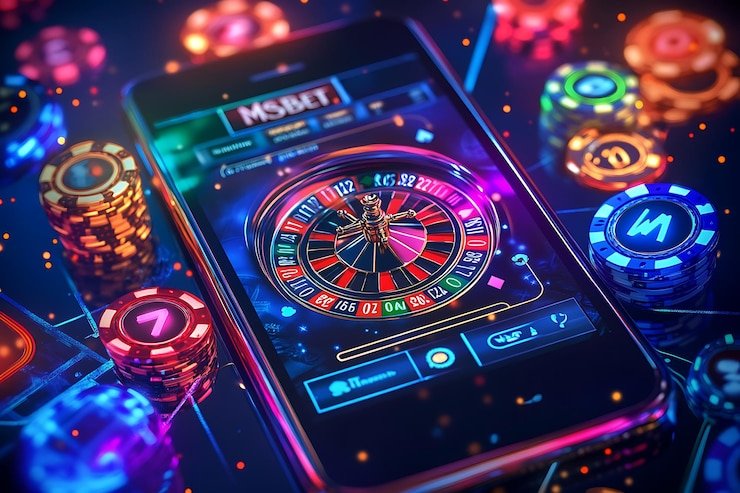
The pl8888 lobby opens in your mobile browser without any file to download — just open the current domain, sign in to your account, and the full catalog is right there. Live tables, slot rooms, crash games and cricket-led sports markets all load through the same session you already use on desktop. Where access is available depends on local law and eligible regions.
Opening the lobby from a mobile device takes a moment of care on your end. Verify the domain matches the current pl8888 address exactly — the URL bar is your first confirmation. Published device guidance is shown on the help page inside your account after login, so that is where you confirm what browsers and screen sizes are currently supported. Keep your account credentials private and never share your PIN or one-time code with anyone. If you lose access, the published account recovery path inside the login screen walks you through identity verification step by step.
Verify the Domain
Check the URL bar every time you open the site on mobile. The current pl8888 domain is the only address for your account. Bookmarking the correct address from a known-good session is the straightforward way to avoid lookalike pages.
Review Device Guidance
Published device and browser recommendations are listed in the help section inside your account dashboard. Check there first before assuming an older browser or a smaller screen is unsupported — the list is updated as compatibility changes.
Protect Your Credentials
Your login password and any one-time codes sent to your registered mobile number are for your use only. pl8888 support will never ask for your password. Set a strong password at account creation and change it through your account settings if you suspect it has been shared.
Use the Recovery Path
If you cannot access your account on mobile, the recovery flow is on the login screen itself. Follow the verification steps shown there — they include identity confirmation — rather than contacting support before attempting them first.
APP HELP ROUTES
Getting Help With Mobile Access
Something not loading on your phone? The help routes below cover the three most common mobile access questions — browser issues, account sign-in problems and step-by-step access guidance. Start with the in-app chat if you are already logged in; use email when you need to attach a screenshot of the error. The access guide covers browser settings and layout behaviour on smaller screens.
Mobile Support Chat
Open the chat icon inside your logged-in account to reach the support team directly. This is the path for browser loading errors, session timeouts and layout problems on your phone. The team responds through the same chat thread so you can share your screen behaviour in real time.
Email Support
Send a message to the support address listed in your account settings when you need to attach a screenshot or describe a longer problem. Include your registered mobile number and a brief description of what your browser is showing. Replies come to the email address on your account.
Mobile Access Guide
The access guide in the help section of your account covers supported browsers, how the navigation rail adjusts on smaller screens, and what to check if games are not rendering. It is the first place to look before raising a support ticket for a display issue.
DEVICE CHECKLIST
Browser and Screen Compatibility at a Glance
Most current Android and iOS browsers open the pl8888 lobby without any extra setup. Portrait and landscape both work — the navigation switches to a bottom rail on narrower screens so the catalog stays reachable with one thumb. Your account and wallet load the same way regardless of which device you used to register. The definitive list of supported browsers and any minimum screen requirements is shown in the help section of your account dashboard; check there rather than relying on an estimate.
Browser Access
No app install is required. Open the current pl8888 address in your phone browser and the session starts from the login page. Chrome, Safari and most modern mobile browsers load the site without extra settings.
Screen Layout
The lobby layout reflows for smaller screens automatically. The game catalog, account navigation and wallet row are accessible from the bottom navigation bar on mobile, matching the same sections available on a wider screen.
Account Requirements
Your existing pl8888 account works across devices. Log in with the same credentials you registered with. If your account uses two-step verification, the code is sent to your registered number as usual.
Checking Supported Devices
The exact list of tested browsers and any known display limitations is kept current in the device guidance page inside your account help section. That page — not this one — is the authoritative source for which versions are confirmed to work.
Regional Availability
Access to the lobby on mobile, including account features and the full game catalog, depends on local law and is available only where local regulations permit. The login page will confirm access eligibility for your region.
GETTING STARTED
Mobile Access in 3 Steps
Reaching the pl8888 lobby from a phone takes three straightforward steps and no file download. Open the current domain in your mobile browser — the address is the same one you would use on desktop. If you have not registered yet, the account page walks you through the sign-up fields and asks you to link a payment method; JazzCash and Raast are both supported for Pakistan accounts where access is permitted under local law. Once you are signed in, the full catalog — including slot rooms like Slot Magic, crash games like Crash, and live table sections — is accessible from the bottom navigation rail.
Open the Current Site
Type or tap the pl8888 domain into your mobile browser address bar. Verify the URL matches the address shown in any official communication from pl8888 before entering your credentials.
Check Browser Compatibility
If the page does not load correctly, check the device guidance in the help section of your account. It lists the browsers and operating system versions confirmed to work with the current site build.
Sign In Securely
Enter your registered email and password on the login screen. Complete any two-step verification prompt sent to your registered mobile number. Your account, wallet and saved preferences load once authentication is complete.
LOBBY ON MOBILE
What the Mobile Web Experience Covers
The pl8888 mobile web experience delivers the same sections as the desktop lobby, laid out for a smaller screen. The game catalog — organized by category and by studio — is the first section you reach after login. Joker, Microgaming, Spadegaming and Bigtime Gaming titles all load through the same browser session; no separate module or secondary login is needed to reach them. Account and wallet navigation sits in the bottom rail, keeping the game discovery area clear. The help and support route is reachable from the account menu without leaving your current session.
Responsive Game Catalog
The full game catalog, including slots from Joker and Spadegaming, live tables from Microgaming, and crash games like Crash and Football Express Bet, all render through the mobile browser.
Account and Wallet Navigation
Your wallet balance, transaction history and account settings are accessible from the bottom navigation rail on mobile. The same JazzCash or Raast payment method linked to your account is shown in your wallet section after login.
In-Session Help Access
The support chat and help guide open inside your current browser session. You do not need to leave the lobby or open a separate tab to reach a support agent or check the mobile access guide for your device.
Session Continuity
Your login session on mobile carries your place in the lobby. If you close the browser tab and return to the same address while your session is still active, the lobby reopens at the section you were in rather than taking you back to the login screen.
INSIDE THE BROWSER SESSION
Navigating the pl8888 Lobby on a Smaller Screen
The mobile layout of the pl8888 lobby keeps the game discovery path short. From the home section after login, the category rail shows the main groups — slots, live casino, crash games and the sports section where cricket markets including PSL fixtures sit. Tapping a category loads the game cards for that section; each card shows the studio name and, where the game or provider exposes it, RTP information. Slot Magic and Baccarat GlistenZone appear in their respective category sections exactly as they do on desktop. The account route — covering your wallet, transaction record and payment method details for JazzCash or Raast — is one tap from the bottom rail.
APP FAQ
Common Questions About the pl8888 App
Quick answers to what Pakistan players most often ask about mobile access, the browser experience and account management on the go.
Does pl8888 have a dedicated app I can download from the Play Store or App Store?
Whether a native app build is currently available for download from a store is confirmed on the pl8888 app page inside your account after login. The browser version of the lobby is fully functional on Android and iOS without any separate download, so you can check the catalog and manage your account immediately.
Which browsers work with the pl8888 mobile site?
The current list of supported browsers is published in the device guidance section inside your account help page. Chrome and Safari on current Android and iOS versions load the lobby correctly for most users. If your browser shows layout issues, the help page is the place to check for known compatibility notes.
Can I use my JazzCash or Raast account through the mobile browser?
Yes. Your linked JazzCash or Raast payment method is accessible through your account wallet on mobile, the same as on desktop. The wallet section in the bottom navigation rail shows your current balance and the payment methods tied to your account. Access depends on local law and eligible regions.
What happens if the lobby does not load on my phone?
Start with the device guidance page in your account help section — it lists known browser and OS issues with the current build. If the problem continues, the in-app support chat or email support route can be reached from the account menu. Include your browser version and a brief description of what is showing on screen.
Are the game catalogs the same on mobile as on desktop?
Yes. The full catalog — including slots from Joker, Spadegaming and Bigtime Gaming, live dealer tables from Microgaming, crash games like Crash, and the sports section — is accessible on the mobile browser.
Is my account session shared between my phone and desktop?
Your pl8888 account works across devices using the same credentials. Logging in on mobile does not end a desktop session, and your wallet balance and game history are the same on both. If you have two-step verification enabled, each new device login requires the code sent to your registered number.
 Mobile / App